



.png?width=520&height=294&name=Untitled%20design%20(30).png)
Legal Tech
Immigration compliance isn’t just about filing the right petition or application. You have to keep client information accurate across filings, use the correct form editions, meet critical deadlines, keep supporting documents organized, record all client communications, and maintain a case history that can withstand a later review.
Firms that fail to meet immigration compliance standards face rejected filings, RFEs, missed filing windows, and audit difficulties.
The right immigration law software reduces your compliance risks by:
- automatically updating forms
- notifying users of critical deadlines
- centralizing case records
- and preserving client communications
eimmigration brings those functions together in a platform built specifically for immigration casework. Law firms use it to maintain more complete client records, prepare more accurate filings, and ensure more timely action.
What “immigration compliance” means
Immigration compliance refers to two sets of requirements that firms need to manage.
Client-facing compliance covers the obligations employers and individuals must meet. Depending on the case, clients may need to maintain lawful status, file timely extensions, meet H-1B posting requirements, keep travel documentation current, or complete employment verification requirements. Attorneys and paralegals help clients understand those obligations and complete the work needed to satisfy them.
Firm-facing compliance covers how law firms represent their clients. The firm must file using the correct edition of government forms, meet USCIS deadlines and RFE response windows, preserve complete case and communication records, protect sensitive client data, and maintain appropriate financial controls. Immigration law software can help firms carry out those responsibilities more consistently.
Where immigration compliance issues usually arise
Compliance failures often trace back to minor mistakes in manual processes—like someone tracking a deadline in a personal calendar, using an outdated form, or failing to log a client call in the case records—rather than to a single major legal error.
Even if your firm has strong case management habits, you may still encounter compliance issues due to common workflow failures.
- Data entry errors: If your staff manually enters client info into immigration forms, every keystroke is an opportunity for error. One mistake can send cases back to the start.
- Outdated form editions: Given how quickly USCIS has been updating forms, it’s easy for caseworkers to use an old edition. These errors can lead to RFEs, delays, and denials.
- Missed deadlines: Between priority date movements, EAD and H-1B validity periods, I-94 expirations, and status maintenance dates—there’s no shortage of deadlines to track. Missing just one can narrow a client's options and create legal exposure.
- Incomplete records: A case file needs to clearly document what the firm filed, the evidence it relied on, actions the team took, and when. Timeline gaps and missing information make it harder to respond to an audit later.
- Undocumented client communication: When communications are spread across email, phone calls, and text messages, it’s hard to know exactly when documents were requested, which status updates were given, or if clients received warnings about deadlines.
- Manual case tracking: It’s common for critical case details to be scattered across spreadsheets, shared drives, inboxes, and separate systems. That fragmentation makes small gaps harder to catch before they become problems.
Practices that improve immigration compliance
These failure points all stem from the same root cause: a manual step that depends on someone remembering, checking, or typing something correctly—every time. You can close these gaps by improving your processes in five key areas:
- Form accuracy
- Deadline tracking
- Document management
- Communication records
- Data security
Your firm likely already has some version of each of these practices in place. The hard part is applying those standards consistently across every case, every caseworker, and every stage of the case lifecycle, especially as caseloads grow.
Let’s walk through each practice, where firms tend to fall short, and how eimmigration helps ensure immigration compliance in these five areas.
Immigration form accuracy
Most form errors come from routine data entry. If staff is manually entering client details, each field creates room for typos or for old information to carry over.
You can use eimmigration to close form management gaps with a few core features:
- One client profile, many forms: Capture client information once, and eimmigration auto-populates that data across all relevant forms. If you make a change to one field, it automatically updates across the entire case packet.
- Current form editions: When USCIS releases a new form version, eimmigration gets to work on updates right away. New versions automatically replace the old version. Caseworkers receive in-system notifications when they first open the newest edition.
- Intake questionnaires that map directly to forms: Clients complete structured questionnaires, and their responses flow into corresponding client and case fields.
- e-Filing where USCIS supports it: eimmigration’s e-filing extension moves case data into USCIS, DOS, and DOL filing workflows, reducing the amount of information staff must enter again.
Ultimately, eimmigration helps ensure that every client's information stays accurate from the initial petition through extensions, amendments, and adjustment of status—preventing conflicting information, avoidable rejections, RFEs, and filing delays.
Deadline and status tracking
Missed deadlines create some of the highest-stakes risks in immigration practice. An overlooked expiration date can leave a client without valid work authorization or lawful status. It can also expose your firm to malpractice claims.
With eimmigration’s case management software, you can put deadline compliance on autopilot. Firms choose eimmigration for its:
- Case-level and client-level date tracking: Teams can monitor filing dates, RFE deadlines, appointments, document expirations, and other case-specific dates alongside the rest of the case record.
- Automated reminders: Caseworkers can schedule alerts for important dates, events, and tasks, giving them time to act before deadlines pass.
- Practice-wide dashboards: The Office Tickler gives you a firm-wide view of case reminders, process steps due, expiring documents, and other time-sensitive work without relying on individual caseworkers’ organization systems.
- Status change workflows: You can track USCIS case activity, processing times, Visa Bulletin information, and expiring documents such as I-94s, passports, and visas.
For high-volume firms, these controls create shared visibility, revealing what needs attention before a missed date turns into harm you can’t undo.
Document retention and audit-ready case files
A compliance issue can surface long after your firm finishes the original filing. An FDNS site visit, USCIS inquiry, or later case review can force your team to reconstruct what it filed, which evidence it submitted, and what happened at each stage. That reconstruction gets harder when documents are spread across inboxes, shared drives, and individual folders.
A complete case record gives the firm a defensible history of the work it performed, even if the work happened years ago.
You don’t have to rebuild case records after the fact. eimmigration keeps records audit-ready through:
- Centralized document storage on each case: Teams can keep forms, receipts, RFEs, responses, supporting evidence, and other case documents with the client and case they belong to.
- Cloud storage connectors: Firms that use cloud storage can connect documents to client and case profiles instead of forcing staff to hunt across separate systems.
- Email integration: eimmigration can log emails, notes, and other client interactions with the relevant profile, so the record includes the conversations around the filing as well as the filing itself.
- Version and access history: Permissions let you control who can view or act on case information, and an admin audit trail allows you to see how staff handled specific documents and actions.
- Retention that outlives staff turnover: Centralized, secure records stay with the firm rather than with the individual caseworker who created or managed them.
Client communication logs
One-to-one communications happen all over the place—email, phone calls, text messages, even WhatsApp. This makes it hard for caseworkers to know if a colleague already answered a client's question, requested the same document, or promised a deadline that conflicts with someone else's. A clear communication history keeps everyone working from the same facts.
Here’s how you can use eimmigration to keep communication records intact:
- Client portal with a message log: You send, receive, and respond to emails, text messages, and WhatsApp messages through the Communications Center. All messages to and from clients get tied to the client record.
- Email logging to the client profile: Sync emails from Outlook or Gmail with client and case records.
- Multi-language client experience: eimmigration translates questionnaires and forms into multiple languages, eliminating communication barriers that can slow intake.
- Structured intake and updates: Clients can complete questionnaires, upload documents, respond to requests, and monitor case progress through the Client Portal. This gives clients clear visibility into what they need to provide, plus creates a record of what they submit and when.
These comprehensive records give you something more reliable than memory. If a question arises later about advice, document requests, or case updates, you can pull up the case history to see exactly what was said, and when.
Data security, access controls, and trust accounting
Immigration compliance depends on more than casework. Your firm also has to control who can see sensitive client information and ensure client funds never mix with the firm's own. Weak controls in either area create the same kind of exposure: confidentiality, supervision, or accounting problems you don't want to discover during an audit.
eimmigration gives you the controls to manage these practice management risks through:
- Role-based permissions: You can restrict a paralegal’s access to only the cases and clients they’re linked to by setting permissions to Assigned Only. Action-based restrictions go further, letting you block specific capabilities per user—deny billing and invoice access, block case or client deletion, or prevent case status changes—so you can tailor exactly what each paralegal can see and do.
- Data security: eimmigration encrypts data in transit and at rest. The systems also supports multi-factor authentication and system-level permissions. These security controls protect the sensitive information you collect throughout a case.
- Trust accounting integrity: Use eimmigration to route trust retainer payments and operating revenue to separate bank accounts, preventing commingling at the point of collection. The platform does not, however, audit how firms later debit trust funds, so you still need your own controls for that part of trust accounting.
- QuickBooks sync: eimmigration can sync financial data with QuickBooks, eliminating manual re-entry and reducing accounting errors that can surface during reconciliation or an audit.
- Admin audit trail: The system records user activity inside the platform, giving attorneys and administrators a clearer record of who took specific actions. This supports internal supervision and helps your firm reconstruct activity if someone later questions how the team handled a case or transaction.
These controls give your team stronger safeguards around sensitive information, financial records, and staff activity, but they don’t replace your firm’s security and accounting responsibilities.
How compliance support differs by role
Attorneys and paralegals manage different parts of the compliance workflow, so they need different kinds of visibility and control.
For attorneys
- Practice-wide dashboards: Attorneys can see reminders, due process steps, expiring documents, and other time-sensitive work across the firm.
- Approval workflows: Attorneys sign off on forms and filings before staff submits work under the attorney’s name.
- Communication logs: Attorneys can pull up client communications alongside the rest of the case record before signing off.
For paralegals
- Structured task lists: Case process templates tie together tasks, forms, documents, and questionnaires, making it easy for paralegals to follow a defined process without skipping steps.
- Pre-filled forms: Client and case data automatically populate related forms, reducing repeated data entry and the errors that come with it.
- Direct visibility into deadlines: Reminders, planning tools, and expiration tracking help paralegals see the dates they own without depending on an attorney to flag them.
Paralegals get a defined process to follow, while attorneys get visibility into it.
What eimmigration does not do (and what you still own)
Compliance software can strengthen your firm’s processes, but it can’t replace professional judgment or eliminate your firm’s responsibility for the work.
eimmigration is a case management platform, not a substitute for legal judgment.
- The platform doesn’t decide strategy: eimmigration can organize case data, forms, deadlines, and documents, but attorneys still decide which legal path best serves the client.
- It doesn’t file for you unsupervised: Attorneys and staff still need to review the work, confirm the filing, and complete required signatures.
- It doesn’t replace I-9 compliance software for employers: Employers typically manage those requirements through their HR systems. eimmigration can support the immigration team with related case information and notifications, including when an I-9 reverification may be approaching, but it doesn’t serve as the employer’s system of record for workforce-wide I-9 compliance.
- It doesn’t guarantee outcomes: No software can. eimmigration instead helps firms reduce the operational failures that create avoidable risk, such as missed deadlines, outdated forms, incomplete records, and undocumented communications.
You still own the legal analysis, supervision, review, and compliance decisions. eimmigration just gives you stronger controls for carrying them through consistently.
See how eimmigration fits your compliance workflow
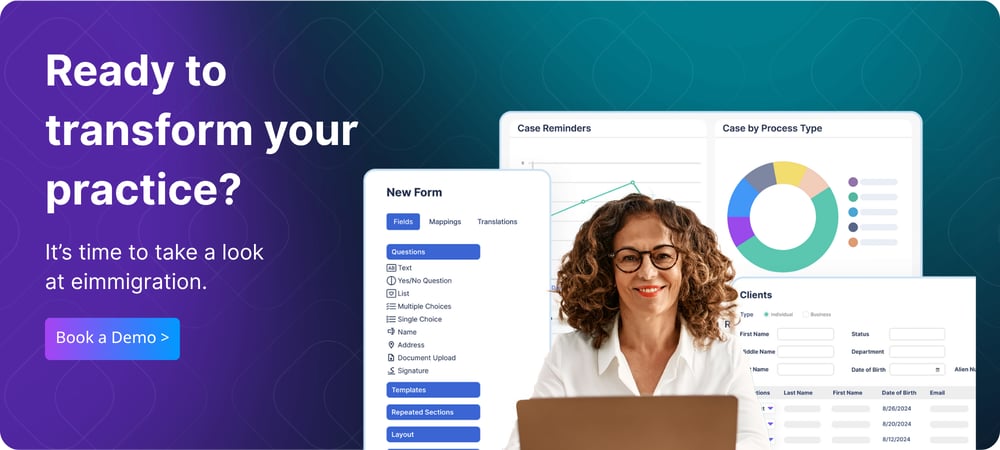
Compliance gaps often stay hidden until a deadline slips, a record goes missing, or someone needs to reconstruct a case. If your team still manages those workflows across spreadsheets, inboxes, calendars, and shared drives, book a demo to see where eimmigration can tighten the process.
.png?width=520&height=294&name=Untitled%20design%20(20).png)
.png?width=552&height=246&name=Capabilities%20CTA%20Image%20(1).png)