



Case Management
Immigration forms are the cornerstone of US immigration law. They serve as the official record to establish eligibility, prove identity, and request legal benefits from USCIS. Forms are also where most immigration tools come up short.
Most software still treats forms like static PDFs. Firms must re-enter the same client information across filings—names, addresses, work history—which makes it easy to accidentally introduce inconsistencies. Those inconsistencies then trigger RFE notices, delays, and outright rejections.
Not all immigration software reliably keeps up with USCIS updates, either. When USCIS releases a new form edition, firms are expected to switch immediately. If your platform fails to flag and make those changes, you risk filing an outdated version.
e-Filing is supposed to reduce that risk. But anyone who’s worked in USCIS or DOS portals knows the reality: sessions time out, data doesn’t save, and errors surface late. If your software can’t validate and reliably transfer data, you’re still left doing too much manual work.
What to look for in immigration form software
Not all legal software handles immigration forms the same way. Here are some core capabilities that separate immigration-specific form tools from generic legal software.
Forms library size and update reliability
Make sure the platform you choose covers all immigration forms from every relevant agency. At a minimum, that includes the US Citizenship and Immigration Services (USCIS), US Department of Labor (DOL), US Department of State (DOS), and Executive Office for Immigration Review (EOIR).
Just as important is the platform's reliability. Vendors often emphasize speed (“updated within 24 hours” or “within a few days”). But speed doesn’t matter if updates are inconsistent. Agencies set hard deadlines for new form editions. Miss that cutoff, and you’re filing non-compliant forms. Your software should guarantee every form is updated within the mandated window, every time.
Data auto-population
A strong system maps client and case data directly into form fields across filings. A weak one forces you to re-enter the same information. This kind of manual entry more often leads to inconsistencies.
e-Filing support
Most platforms claim you can “e-file.” However, few deliver broadly on that promise. Make sure your platform can e-file with not just the USCIS, but also DOS and DOL. And check that your system covers all the forms from each agency. Otherwise, you’re still bouncing between tools and wasting time.
Pre-submission validation
Your software should flag any missing or invalid data before you reach an agency’s website. The best tools validate all that data in real time. That way, you can fix issues as you complete the form.
Multilingual support
To make things easy, clients should be able to complete questionnaires in their preferred language. The system should then translate those responses into English. Without that, your team has to translate, which slows intake and increases the chance of errors.
Document assembly
Look for tools that can seamlessly combine all the necessary forms, supporting documents, and your cover letter into a single packet for filing.
Forms engine technology
Vendors don’t always clearly explain how their form engine works. That’s a glaring omission, given that practitioners rank form capabilities as one of the most important features in immigration software.
Only one platform, eimmigration, uses a proprietary engine built in-house. The rest use third-party tools. That difference affects flexibility, cost, and user experience.
5 Immigration form software providers to consider
We’ve analyzed more than 20 systems, with the help of survey data from more than 300 case management users, to surface the five best immigration form software tools for law firms. Let's look at how each of these tools handles form libraries, e-filing, data auto-population, multilingual capabilities, and pricing.

1. eimmigration
eimmigration is an all-in-one immigration case management platform used by more than 12,000 legal professionals. It includes 120+ immigration-specific case workflows that combine all the forms, questionnaires, documents, tasks, and deadlines required for each case type.
eimmigration is widely known for the most complete, flexible, and functional immigration forms software.
Here are some of eimmigration’s key features.
Forms library
Includes 300+ immigration forms across U.S. Citizenship and Immigration Services (USCIS), DOJ, DOL, ETA, DOS, EOIR, and DHS.
Proprietary forms engine
eimmigration is the only platform in this category with its own electronic forms engine. Most competitors rely on third-party tools. That limits flexibility, slows down changes, and often increases costs passed on to customers.
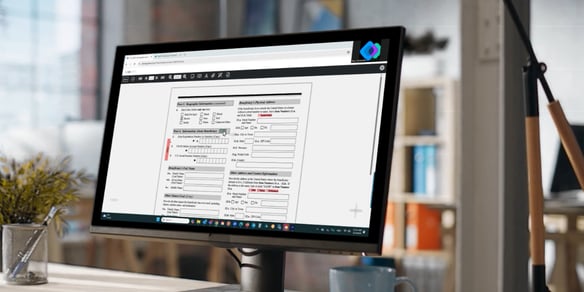
eimmigration treats forms like the dynamic tool they are. Forms autopopulate from client intake information. Any changes made in one form are instantly reflected across the rest of the client’s paperwork. You can interact with each form the same way you would on paper, across any device, browser, or platform.
Form updates
Agencies make small, easy-to-miss changes to forms all the time. A dedicated development team continuously monitors those agency changes, so firms can ensure they’re using the latest form every time they file.
Three ways to streamline form completion
eimmigration gives you the flexibility to autofill forms in any of three ways:
- It maps data from client and case profiles directly into form fields.
- It uses client questionnaires to collect data and populate client profiles and forms.
- It allows clients to complete forms themselves, in their preferred language. Those responses are translated into English, then flowed into the appropriate forms.
Because data gets captured once and reused across forms, firms move through intake up to 10 days faster.
e-Filing
Government websites are notorious for timing out mid-upload.
Kiley King, a caseworker at Lighthouse Immigrant Advocates, described how the Consular Electronic Application Center would idle for three minutes before crashing. Every time, her team would have to re-enter all the data from the DS-260 form. “There were so many times that we would lose data trying to fill out these forms,” Kiley said.
eimmigration avoids this headache first by combining forms and supporting documents into a single PDF with a table of contents. If the software detects empty fields, inconsistent data, or any other errors, it will notify you before you submit.
Once submitted, users can simply hit upload again if the agency website hangs up. There’s no need to retype any information. eimmigration’s government integrations support direct filing of all forms to USCIS, DOS, and DOL systems.
AI Workmates
Immigration law is an innately human-centered practice. And while AI can’t replace your firm’s human expertise, it can amplify it. eimmigration uses several AI Workmates to streamline your operations, so you can better serve your clients.
- Extractor: Auto-populates client profiles from passports and PDFs
- Summarizer: Digests case documents and instantly offers topline highlights
- Translator: Translates intake questionnaires into 13 languages, including Spanish, Chinese, Arabic, and Vietnamese. It then maps responses back into English so they can be populated in client profiles, case records, and immigration forms.
Pricing
eimmigration offers straightforward pricing, with no hidden fees.
-
Starter: $55/user/month
-
Essentials: $82/user/month
-
Complete: $100/user/month
Non-profits receive a 50% discount with an annual commitment.
2. Docketwise
Docketwise is an immigration-specific case management platform popular with small to mid-size immigration firms. It’s designed to simplify intake and form preparation. That focus on ease of use means the platform offers less customization and lacks an advanced forms engine.
Docketwise features include:
Forms capabilities
Client questionnaires capture data once, then map it across multiple immigration forms through its “Smart Forms” system. Forms update dynamically as new information is added, reducing data re-entry.
Multilingual intake
Clients receive multilingual questionnaires with two-way translation between English and 10+ languages. Clients can complete intake in their preferred language, and the system translates responses into English for form completion. Staff can view and interact with responses in either language.
e-Filing
Firms can only e-file select forms. This feature is only available with the Pro or Advanced subscription levels. Even then, the number of forms available is limited. So, firms handling a mix of USCIS, DOS, and DOL filings may still need to file some forms manually.
Client portal
In the client portal, attorneys and clients can share documents, forms, tasks, invoices, and USCIS receipt updates in one place. Firms control what gets shared and when, with options to auto-share resources or manage visibility at the firm or individual level.
Docketwise includes secure messaging within the portal, so communication stays tied to the case instead of scattered across email.
Known limitations
Some users report that key features are gated behind add-ons. That can lead to a broken workflow.
Docketwise relies on third-party forms technology rather than a proprietary engine, which can limit flexibility and control over how forms behave.
Pricing
-
Basic: $69/user/month
-
Standard: $99/user/month
-
Premium: $119/user/month
Best for
Docketwise is suitable for solo practitioners and small immigration firms looking for a straightforward, immigration-specific tool. It’s less capable for firms that need deeper control over form behavior, broader e-filing coverage, or more complex case workflows.
3. LollyLaw
LollyLaw is an immigration-specific case management platform with a strong emphasis on client communication and payments. It offers texting, payments, and real-time collaboration to make the client experience smoother.
With LollyLaw, you’ll find:
Forms capabilities
The platform includes 125+ immigration forms from USCIS, DOJ, EOIR, and the FBI. There are 40+ immigration-specific workflows with built-in tasks, deadlines, milestones, and forms. Those forms automatically sync with client data—like names, addresses, and passport details—to reduce data re-entry. Additionally, LollyLaw lets attorneys and clients complete forms together and make live edits.
Multilingual intake
Clients complete forms in the language they’re most comfortable with. LollyLaw automatically translates 20+ languages into English on the final form.
Communication
LollyLaw combines client communication and billing directly into the platform. LollyMessaging, its SMS messenger, lets firms send and receive messages with clients, store conversations centrally, and trigger automated texts for events, tasks, and reminders. LollyPayments supports online payments via text, QR code, or client portal. There are also options for payment plans and automated reminders.
Known limitations
LollyLaw doesn’t offer as many forms as some platforms with broader coverage across agencies. And, like all immigration form software except eimmigration, LollyLaw relies on third-party form technology rather than a proprietary engine. That can limit flexibility and control over how forms behave.
Pricing
Pricing for Lollylaw starts at $120/user/month, according to some review sites.
Best for
Immigrations that prioritize the client experience over a thorough case management tool.
4. INSZoom (Mitratech)
INSZoom is an enterprise-grade immigration case management platform. Historically, it was a major player in the immigration law technology space. Corporate immigration programs often relied on it because it focused on security and compliance. Now part of Mitratech, the platform has expanded into a broader legal and compliance ecosystem, with less emphasis on immigration-specific innovation.
Forms capabilities
INSZoom generates forms and documents from an extensive USCIS forms library. You can tailor workflows to accommodate different case types, deadlines, and compliance requirements. This is particularly beneficial for firms that handle high volumes of cases. Like other tools on this list, the platform supports automated data population from client intake directly to forms.
e-Filing
INSZoom offers only basic e-filing capabilities. It requires a desktop add-on to transfer data to portals like myUSCIS or DOL FLAG.
AI and automation
Mitratech’s broader AI layer (ARIES™) and analytics tools provide INSZoom users visibility into case status, legal spend, performance metrics, and compliance deadlines. Elsewhere, the platform’s GovNoticeIDP tool uses AI to extract and categorize data from USCIS receipts and approval notices, then maps that data back into case records. Beyond notices, INSZoom uses automation in billing, document generation, and workflow management.
Known limitations
Since the Mitratech acquisition, the platform has seen fewer updates specific to immigration workflows. Firms migrating off INSZoom often cite support challenges and difficulty getting timely assistance. Some describe the platform as static and less responsive to evolving needs.
Pricing
Not publicly listed. You have to sign an NDA just to get a demo of this system.
Best for
Large corporations and enterprise immigration teams that are already embedded in the Mitratech ecosystem. INSZoom works well for firms managing high-volume, compliance-driven programs.
5. Clio
Clio is a general legal practice management platform used across all practice areas. Users will need add-ons, integrations, and customization to replicate the functionality of immigration-specific software.
Forms capabilities
Clio doesn’t include immigration forms out of the box. To generate those documents, you need Clio Draft, which starts at $99 per user per month. Even then, you’re working with templates, not a built-in immigration forms library. To match what immigration-specific platforms do natively, you’ll need additional tools or integrations for forms, workflows, and government filing.
AI tools
Clio’s in-house AI tool, Vincent, answers your legal questions in plain language and pulls citation-backed answers from case law and statutes. You can trace sources and review key passages to validate Vincent’s arguments.
On the drafting side, AI focuses on legal research, drafting, and matter-based workflows—not immigration forms or filings. Tools like Vincent AI let you ask legal questions in plain language and get citation-backed answers pulled from case law and statutes across jurisdictions. You can trace sources, review key passages, and validate arguments directly against primary law.
On the drafting side, Clio uses case data to generate motions, correspondence, and summaries. It keeps research, drafts, and filings tied to the same case, so work stays organized and reusable. These tools help with legal analysis and document creation. They don’t handle immigration-specific tasks like form preparation, validation, or government submission.
General strengths
Clio handles core law firm operations like case management, billing, client communication, and document management well. It’s widely adopted across the legal industry and backed by a large ecosystem of tools, along with strong security and compliance standards.
The platform connects with 250+ tools, including Microsoft 365, Google Workspace, and accounting software. Firms often rely on integrations or external platforms to handle specialized workflows like immigration forms and filings, since those capabilities aren’t built into Clio itself.
For firms running multiple practice areas, it provides a single platform to manage everything outside of specialized workflows like immigration forms.
Known limitations
Clio isn’t built for immigration law, and it shows. You need add-ons like Clio Draft—and often other tools—to handle immigration cases end-to-end. That increases both cost and complexity.
There’s no native immigration forms engine, and the platform depends on external tools to keep up with USCIS form changes.
Pricing
-
Starter: $49/user/month
-
Essentials: $89/user/month
-
Advanced: $119/user/month
-
Complete: $149/user/month
Immigration modules cost extra.
Best for
Firms with multiple practice areas that want one system for case management, billing, and client communication. Less suited for immigration-focused firms that need built-in forms, direct e-filing, and immigration-specific workflows.
Which immigration form software is right for you?
Each platform solves a different problem. The right choice depends on how you handle forms, filings, and client workflows day-to-day.
Choose eimmigration if you:
- Want the flexibility to populate form data in the way that works best for you
- Need access to the largest library of 300+ always up-to-date forms from all major agencies
- Have multiple legal team members collaborating on forms
- Need seamless e-filing to USCIS, DOS, and DOL directly from your browser
- Want pre-submission validation that catches errors before you file on government sites
- Serve multilingual clients (13-language AI-powered questionnaire translation)
- Need a system build to keep track of the countless complexities in immigration law
- Value responsive support available when you need it
- Are a non-profit looking for 50% pricing discounts
Choose Docketwise if you:
- Are a small firm or solo practitioner looking for a simple solution
- Primarily need USCIS form support for common case types
- You don’t e-file with DOS or DOL
- Don't need advanced document assembly or advanced case management features
Choose LollyLaw if you:
- Want integrated payment processing and text-to-pay capabilities
- Need 20+ languages for intake questionnaires
- Are comfortable with a higher per-user price for bundled communication features
Choose INSZoom if you:
- Are a large corporation with complex global immigration needs
- Already have a relationship with Mitratech
- Need enterprise-grade compliance and reporting dashboards
- Don't mind enterprise-level pricing and sales processes
Choose Clio if you:
- Run a multi-practice firm where immigration is one of several areas
- Want one platform for all practice areas (even if immigration-specific features are limited)
- Already use Clio for other practice areas and want to add immigration functionality
- Are willing to pay extra for immigration-specific modules
Choosing the right immigration form system for your firm
Some platforms know that firms need the flexibility to incorporate forms into their workflows in a way that works for them. Others treat them as a one-size-fits-all solution. That design choice affects how much automation and speed your team will gain from your software.
We hope this guide helped you narrow your shortlist. The next step is to see how the tools on that list handle your live cases.
Book a personalized demo of eimmigration to see how 300+ forms, three-agency e-filing, and pre-submission validation work together. We'll walk through your specific use case—no generic slideshow.


.png?width=552&height=246&name=Capabilities%20CTA%20Image%20(1).png)